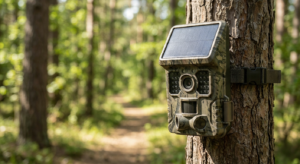
Solar security cameras stopped charging or show low battery, there can be many problems learn all the problems bellow.
You check your phone and see it again: “Low Battery” flashing on your solar security camera. The same camera you installed six months ago, specifically so you wouldn’t have to climb a ladder every few weeks to charge it. The sun is shining. The panel looks fine. So why isn’t it working?
Here’s the truth most people don’t realize: your solar security camera probably isn’t broken. Solar charging isn’t some kind of magic that works 24/7 just because there’s daylight. It’s actually a careful balance between energy coming in from the sun and energy going out to power your camera. And when that balance gets disrupted, charging can stop completely even though everything looks normal from the ground.
Most charging problems aren’t caused by faulty equipment. Instead, they’re triggered by hidden safety features in your camera’s software, tiny shadows you didn’t notice when you installed it, or simply the camera working harder than your small solar panel can keep up with.
1. The Hidden Software That’s Protecting Your Battery
Your solar security camera has built-in safety features you can’t see in the app. These are programmed directly into the camera’s firmware to protect the battery from damage. The problem? These same protective features can make it look like your solar panel has stopped working.
When It’s Too Cold to Charge
Here’s something most people don’t know: lithium-ion batteries (the type in nearly all solar security cameras) cannot safely accept a charge when the temperature drops below freezing specifically, below 0°C or 32°F.
Why? Because charging a frozen battery causes something called “lithium plating.” This is permanent chemical damage that destroys the battery’s ability to hold a charge. So camera manufacturers program the device to completely block incoming power from the solar panel when the internal temperature sensor detects freezing conditions.
What this means for you: On a cold winter morning, your camera might be awake, recording motion, and using battery power but it will refuse to charge from the solar panel until the temperature rises, usually around midday. The panel is working. The sun is shining. But the camera’s safety system won’t allow the power to flow in.
This is a feature, not a bug. It’s protecting your investment.
When It’s Too Hot to Charge
The opposite happens in extreme heat. Most solar security cameras will stop charging when the battery temperature exceeds 45°C (about 113°F). This prevents overheating, swelling, and fire risks.
If your camera is mounted on a south-facing wall in Arizona or Texas during summer, the battery can easily reach these temperatures by early afternoon especially if the camera body is black and absorbing heat. The solar panel might still be generating power, but the camera won’t accept it.
The “90% and Stuck” Mystery
Many users notice their solar security camera charges to 90% or 95% and then just stops. The battery level won’t budge for days, even in perfect weather.
This isn’t a malfunction. It’s called “trickle charge protection,” and brands like Ring, Eufy, and Reolink build it into their cameras on purpose.
Here’s why: Keeping a lithium-ion battery at 100% charge constantly especially when it’s exposed to heat from the sun dramatically shortens its lifespan. So the camera’s software intentionally stops drawing power from the solar panel once the battery hits around 90%. It only starts charging again once the battery drops to about 85% or lower.
If your camera is sitting at 90% for a week, that’s actually a sign that everything is working correctly.
2. Why Tiny Shadows Kill Solar Charging
This is the most underestimated problem with solar security cameras: partial shade. Even a shadow the size of your thumb can cut the panel’s power output in half.
How Solar Panels Are Wired (And Why It Matters)
Most small solar panels like the 3W to 6W panels used for security cameras have their solar cells wired in series. Think of it like old-fashioned Christmas lights: if one bulb goes out, the whole string goes dark.
When even 10% of the panel is shaded by a single leaf, a gutter edge, or the shadow of a roof overhant the voltage from the entire panel can drop so low that it’s no longer strong enough to push energy into the battery.
Here’s the shocking part: shading just 10% of the panel surface can reduce total power output by 50% to 80%. Not 10%. Not 20%. We’re talking about losing half your charging capacity or more because of one small shadow.
The “Dappled Shade” Trap
A lot of people think, “Well, the panel is mostly in the sun, so it should still work fine.” Unfortunately, that’s not how it works.
Dappled shade from a tree where sunlight flickers on and off as leaves move in the wind is often worse than a completely overcast day. Why? Because the panel’s voltage keeps jumping up and down, and the camera’s charging circuit can’t stabilize the incoming power. So even though it looks sunny from your perspective, the panel effectively stops charging.
If you installed your solar security camera under a tree “because it gets sun most of the day,” this is likely your problem.
Direction and Angle Matter More Than You Think
Solar panels work best when they’re pointed directly at the sun. For most of the United States (Northern Hemisphere), that means facing True South not magnetic south from a compass, but the actual geographic south.
And here’s the other thing: the angle matters. Ideally, your panel should be tilted at an angle that matches your latitude. If you live at 40° North latitude, your panel should be tilted at about 40°.
Why does this matter? Because in winter, the sun sits much lower in the sky. A flat-mounted panel (facing straight up) might work great in July but collect almost no energy in January when the sun is barely above the horizon.
If your camera stopped charging around November and you live in a northern state, check the panel angle. You might be losing 60% or more of potential charging power just because of the sun’s seasonal position.
3. When Your Camera Uses More Power Than the Panel Can Make
Sometimes your solar security camera is charging it’s just that the camera is draining the battery faster than the panel can refill it. Over days or weeks, the battery percentage slowly drops, and it looks like the panel stopped working.
The Energy Budget Breakdown
Let’s do some simple math:
– Energy coming in: A typical 5W solar panel generates about 500 to 1,000 mAh per day in good conditions (depending on your location and season).
– Energy going out: A camera set to “Continuous Recording” or installed in a high-traffic area (triggering 50+ times per day) can easily consume 1,200 to 1,500 mAh per day.
If you’re using more than you’re making, the battery will slowly drain even if the panel is technically working. After a week or two, you’re at 20% battery and wondering why the solar panel “isn’t charging.”
It is charging. You’re just asking it to do more than it’s physically capable of.
How to Tell If This Is Your Problem
Check your camera’s event log in the app. If you’re seeing dozens of motion alerts every day, or if you have the camera set to record 24/7, that’s your answer. The small solar panel can’t keep up with that level of demand.
The fix: Lower the motion sensitivity, shorten the recording time per event, or switch from continuous recording to motion-only mode. These changes can cut your power consumption in half.
4. The Simple Maintenance Issues Most People Forget
Sometimes the problem isn’t software or shadows it’s just dirt.
Clean Your Panel
Dust, pollen, bird droppings, and even a thin layer of grime can block a surprising amount of sunlight. Studies show that accumulated dirt on a solar panel can reduce energy intake by 10% to 30%.
If you installed your solar security camera in spring and it’s now fall, and you’ve never cleaned the panel, that’s probably costing you 20% of your charging capacity right there.
The fix: Once every few months, wipe the panel down with a damp cloth. That’s it. No special cleaners needed.
Check the Cable Connection
Water, humidity, and corrosion can build up inside the USB port or barrel plug connector where the solar panel plugs into the camera. This is especially common in areas with heavy rain or high humidity.
If the app says “Not Charging” even on a sunny day, unplug the cable and inspect both ends. Look for:
- Green or white corrosion around the metal contacts
- Water droplets inside the connector
- A loose or wobbly fit when you plug it back in
Sometimes just unplugging and re-seating the cable is enough to restore the connection.
5. Your Quick-Fix Troubleshooting Checklist
Before you call customer support or order a replacement panel, run through this checklist:
| Check This | What It Might Mean | How to Fix It |
| Temperature | Is it below freezing or above 110°F? | Wait for the temperature to normalize. This is a safety feature, not a defect. |
| Shadows | Is any part of the panel shaded, even a little? | Move the panel or trim nearby branches. Even small shadows cause big problems. |
| Dirt | When did you last clean the panel? | Wipe it down with a damp cloth. You’ll be surprised how much this helps. |
| Cable Connection | Is the plug fully seated and corrosion-free? | Unplug and replug the cable. Check for water or corrosion inside the port. |
| Motion Events | Are you getting 30+ alerts per day? | Lower motion sensitivity or shorten clip length in the app. |
| Battery Level | Is it stuck at 90%? | This is normal. The camera stops charging at ~90% to protect battery health. |
6. The Bottom Line
If your solar security camera stopped charging, take a breath. It’s probably not broken.
More often than not, the problem is invisible: a safety feature kicking in during cold weather, a shadow you didn’t notice when you installed it, or simply the camera working harder than the small panel can support.
And here’s the reassuring part: many of these issues are seasonal. A camera that struggles to stay charged in January when the sun is low, the days are short, and temperatures are freezing often “heals itself” by March when conditions improve.
Check the temperature. Clean the panel. Look for shadows. Adjust your settings. Nine times out of ten, one of these simple fixes will get your solar security camera charging again no replacement parts needed.